
ERP development services
An ERP that fits how your business actually operates
Not how off-the-shelf software expects it to. We design and develop custom ERP systems that unify data, automate workflows, and give leadership real visibility across operations.
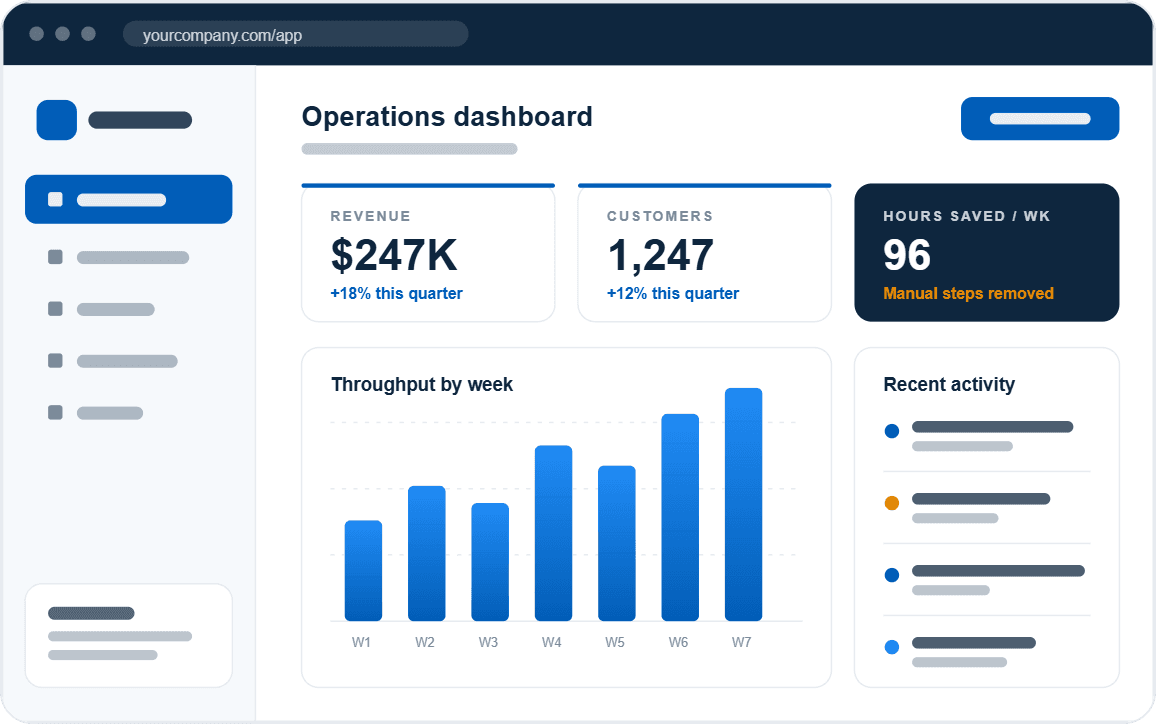
- 300+Projects completed
- 800M+Saved for clients
- 20+Years building software
- 95%Client retention






Before and after
Is custom ERP development the right move?
If your current system shows these signs, a custom ERP built around your operation is likely the better path.
- Before
Rising maintenance costs
Legacy systems need constant fixes, custom workarounds, and growing support effort.
AfterPlan for real ROI
Invest first in the initiatives that deliver measurable value, with a roadmap for growth.
- Before
Unreliable performance
Outdated architecture creates delays, outages, and friction across daily workflows.
AfterModernize core processes
Automation replaces outdated workflows and improves speed, accuracy, and reliability.
- Before
Security risks
Older technology increases exposure to security threats and regulatory issues.
AfterModern, supported technology
A current, maintained stack, with a team that keeps improving it after launch.
- Before
Limited ability to scale
Legacy platforms restrict growth, integrations, and future capabilities.
AfterConnect everything
Tools, data, and systems come together so information flows across the business.
ERP benefits
What your ERP should do
Reveal what’s broken
Your ERP should surface bottlenecks, delays, and breakdowns instead of hiding them behind reports no one checks.
- Bottleneck visibility
- Delay and exception alerts
- Handoff tracking
Fit how you work
It should adapt to your processes, not force your team into rigid workflows or constant workarounds.
- Your workflows and rules
- Role-based screens
- No forced workarounds
Connect your systems
Your data should move freely between tools so teams always work from a single source of truth.
- Accounting and CRM sync
- Inventory integrations
- Third-party APIs
Automate the busywork
Manual tasks should disappear so your team can focus on decisions, not data entry.
- Automated workflows
- Fewer manual steps
- Less data entry
Support smarter decisions
Your ERP should turn real-time data into insights leaders can actually act on.
- Real-time dashboards
- Operational reporting
- Cross-department metrics
Keep improving
Work with a team that stays involved beyond launch, continuously improving your ERP as your business evolves.
- Ongoing support
- Phased new features
- Same team after launch
What our clients say
We appreciated their willingness and eagerness to think of ways to make the application even more powerful.
We appreciated their willingness and eagerness to think of ways to make the application even more powerful.
Get clarity on your project in one conversation
If your ERP feels limiting, harder than it should be, or you don’t have one, we’ll walk through your situation and your real options. No obligation.
Case studies
Real ERP platforms we’ve delivered
 Manufacturing
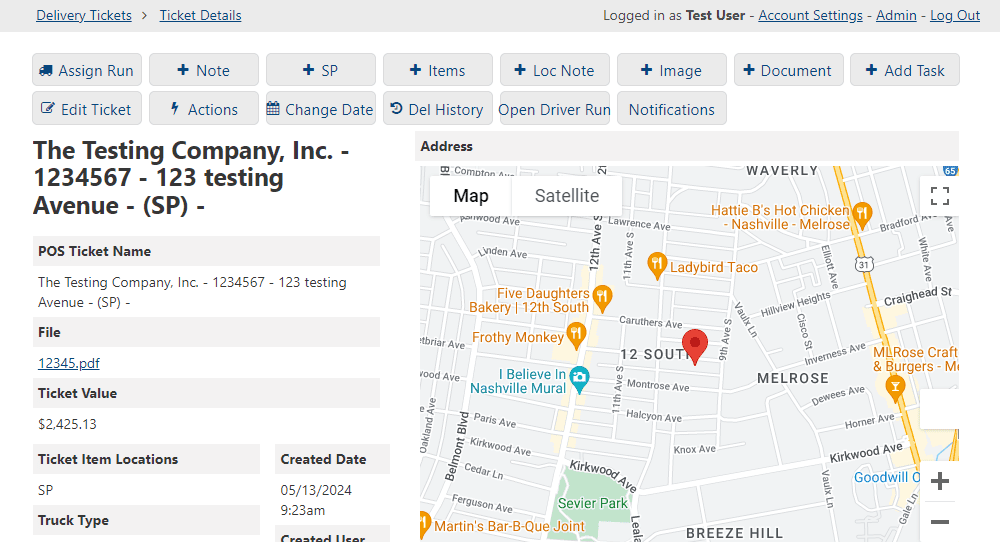
Customer Notification System for Walker Lumber
- [X]
- with the label delivery events automated (scheduled and in transit)
- [X] hrs
- with the label saved per week, from dispatcher and customer service time no longer spent checking and relaying delivery status
Automated SMS updates replaced the “where’s my order?” calls, and failed messages stopped slipping through.
Read the case study Manufacturing
Robust Inventory Management System for Roto Mart
- [X]%
- with the label faster order fulfillment, or fewer stock surprises
- [X] hrs
- with the label saved per week, from time no longer spent chasing status across tools
Transformed multi vendor inventory operations with a centralized system that tracks order history, active orders, and backorders in one place.
Read the case study
A clear path from idea to impact.
Understand the challenge. Build the right solution. Keep moving forward.
 01
Understand
Get clear on your goals and what’s getting in the way.
 02
Plan
Turn priorities into a practical roadmap.
 03
Build
See progress. Test early. Launch with confidence.
 04
Grow
Keep your system supported and ready for what’s next.
On camera
Clients on what changed after launch
A couple of minutes each on how the build ran, what changed in the operation, and what they would tell a team considering custom software.
““Kelson was super responsive, knew exactly how to take care of my issue, and did so quickly for a reasonable price. 10/10 recommended, I am happy to be used as a reference if needed.””
How it works
What to expect during your ERP consultation
Straightforward, practical, and focused on your reality. No sales pressure, no jargon, just clarity on what’s working, what’s not, and how we can help.
- Projects complete
- 300+
- Saved for clients
- 800M+ dollars
- 01
ERP discovery call
We walk through your current systems, workflows, data challenges, and goals.
- 02
Straight answers
Honest feedback on options and risks, including whether something simpler fits.
- 03
Practical next steps
Scope, priorities, and a realistic execution path around your workflows.
- 04
No pressure
Move ahead now, later, or not at all. You leave with practical insight.
ERP Development FAQs
What is a custom ERP system?
A centralized platform designed around your workflows, data, and business rules. Unlike off-the-shelf ERPs, it fits how your organization operates instead of forcing process changes to match software limits.
How do I know if we need a custom ERP?
If your team relies on spreadsheets, disconnected tools, or manual handoffs, a custom ERP can remove that friction. It is especially valuable when off-the-shelf ERPs feel bloated, restrictive, or hard to integrate.
How is custom ERP different from NetSuite or SAP?
Traditional ERPs offer broad functionality with limited flexibility and high long-term costs. A custom ERP covers only what you need, integrates cleanly, and you own it, with no per-user licensing.
Can a custom ERP integrate with our existing systems?
Yes. We regularly integrate ERPs with accounting software, CRMs, inventory systems, third-party APIs, and legacy platforms, without disrupting what already works.
How long does it take to build a custom ERP?
Timelines vary with complexity, but most ERP projects are delivered in phases, so teams see value early while functionality keeps expanding.
What happens after the ERP is launched?
We continue to support, optimize, and extend the system as your needs change. Many clients treat their ERP as a long-term operational asset, not a one-time project.